
If you're riding a Spiro electric boda boda, the question that decides your day isn't really range — it's where the next full battery is. A working swap network is the difference between a smooth shift and an unplanned break by the roadside.
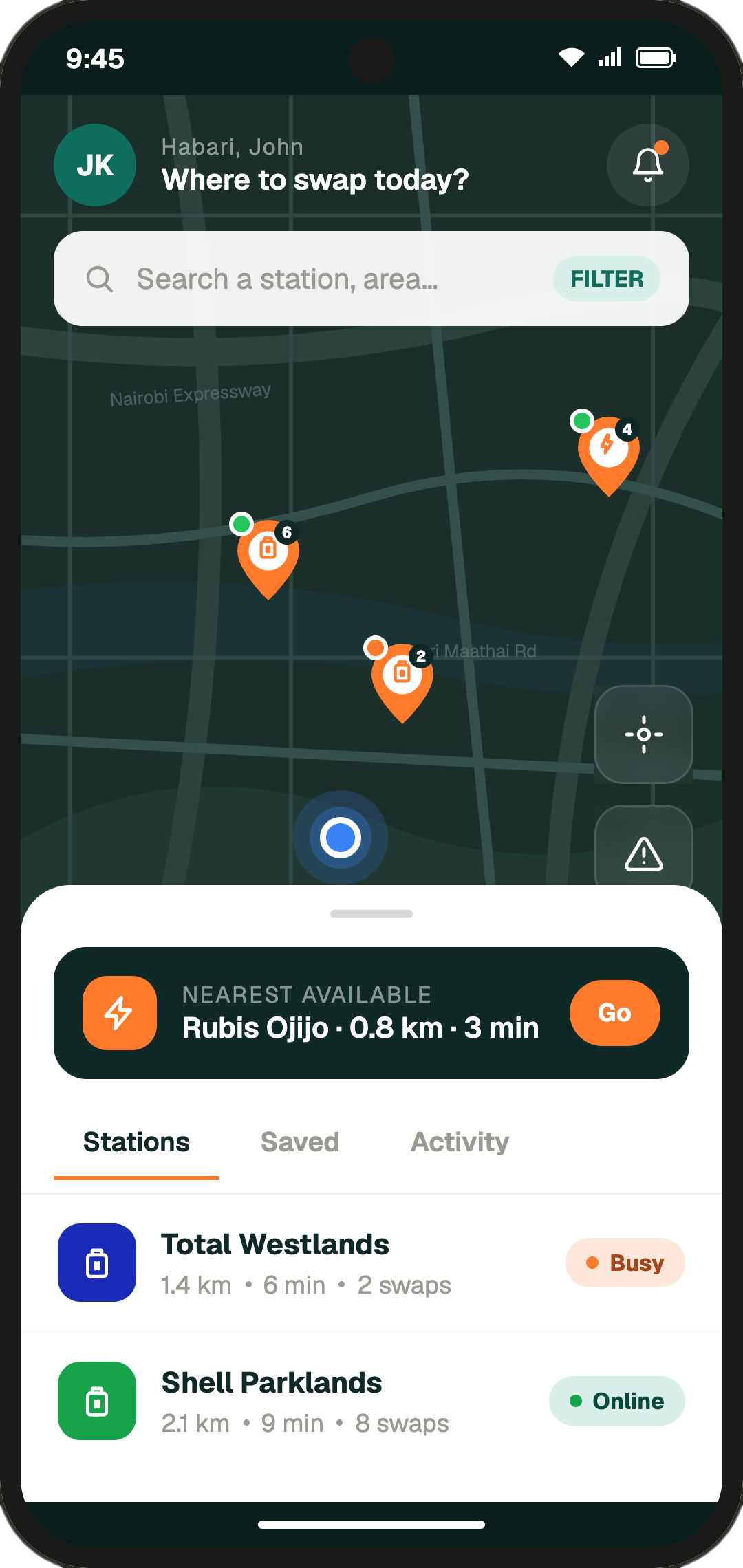
The good news is you don't need to memorise stations, ask around, or take a guess. The SwapIt app pulls every Spiro swap point into one map, shows you which ones are online right now, and lets you save the spots you ride past most.
Here's how to set it up and get the most out of it.
In short: download SwapIt, allow location access, search the map for Spiro stations near you, and tap the heart on the ones you use most. Then leave a quick community update when something changes — it pays the favour forward to the next rider.
1. Download the SwapIt app
Start by installing the app from the Play Store:
Download SwapIt on Google Play
It's a free download and only a few megabytes, so even a quick data top-up will be enough. iOS is on the way.
2. Sign up and allow location permission
Open the app and tap Sign up. You only need a phone number and a name to get started — there's no paperwork and no waiting for approval.
When the app asks for location permission, choose "While using the app" (or "Allow"). This is what lets SwapIt sort stations by distance and show you the nearest one on your home screen, instead of forcing you to type in an area. You can change this any time in your phone's settings if you ever want to turn it off.
If you skip location access, the app still works — you just have to search by area name instead, which takes a few extra taps.
3. Find Spiro swap stations near you
Once you're signed in, the map opens on your current spot with stations pinned around you. To find Spiro stations specifically:
- Use the search bar and type "Spiro" — or the area you're heading to, like "Kikuyu" or "Westlands".
- Tap a pin to see the station name, status (online, busy or offline), the type of station (battery swap or charge), and which vehicles it serves.
- Tap Get directions to open the route straight in Google Maps.
The list view next to the map is sorted by distance, so the top result is always the closest swap point to you.
4. Save your go-to stations as favourites
If there are one or two Spiro stations you hit every day — the one near your stage, the one on the way home — save them as favourites.
Open a station and tap the heart icon. It now lives in your Saved tab, one tap away from the home screen. No more re-searching every morning, and you'll get a quicker view of whether your usual spot is online before you set off.
This is also useful if you ride between routes: save a station in each area you cover and switch between them as your day moves.
5. Post a community update — and trust the ones you see
Riders look out for riders. If you arrive at a Spiro station and the queue is long, a swap unit is down, or the station is closed for the day, post a community update from the station's page. It takes one tap and a short note.
Other Spiro riders nearby will see it in the app before they make the trip — and you'll see theirs too. If someone's update was useful to you, tap the helpful button so the most reliable updates float to the top. Over time the map starts to reflect what's actually happening on the ground, not just what's listed.
This is the part of SwapIt that pays back the most: the more riders posting honest updates, the less time everyone wastes on a station that's already down.
A quick recap
- Install SwapIt from the Play Store.
- Sign up with your phone number and allow location access.
- Search for Spiro or your area to see swap stations near you.
- Favourite the stations you use the most.
- Post community updates when something changes — and back the ones that helped you.
Spend two minutes setting it up today and you'll save real time on the road tomorrow. Ride safe.